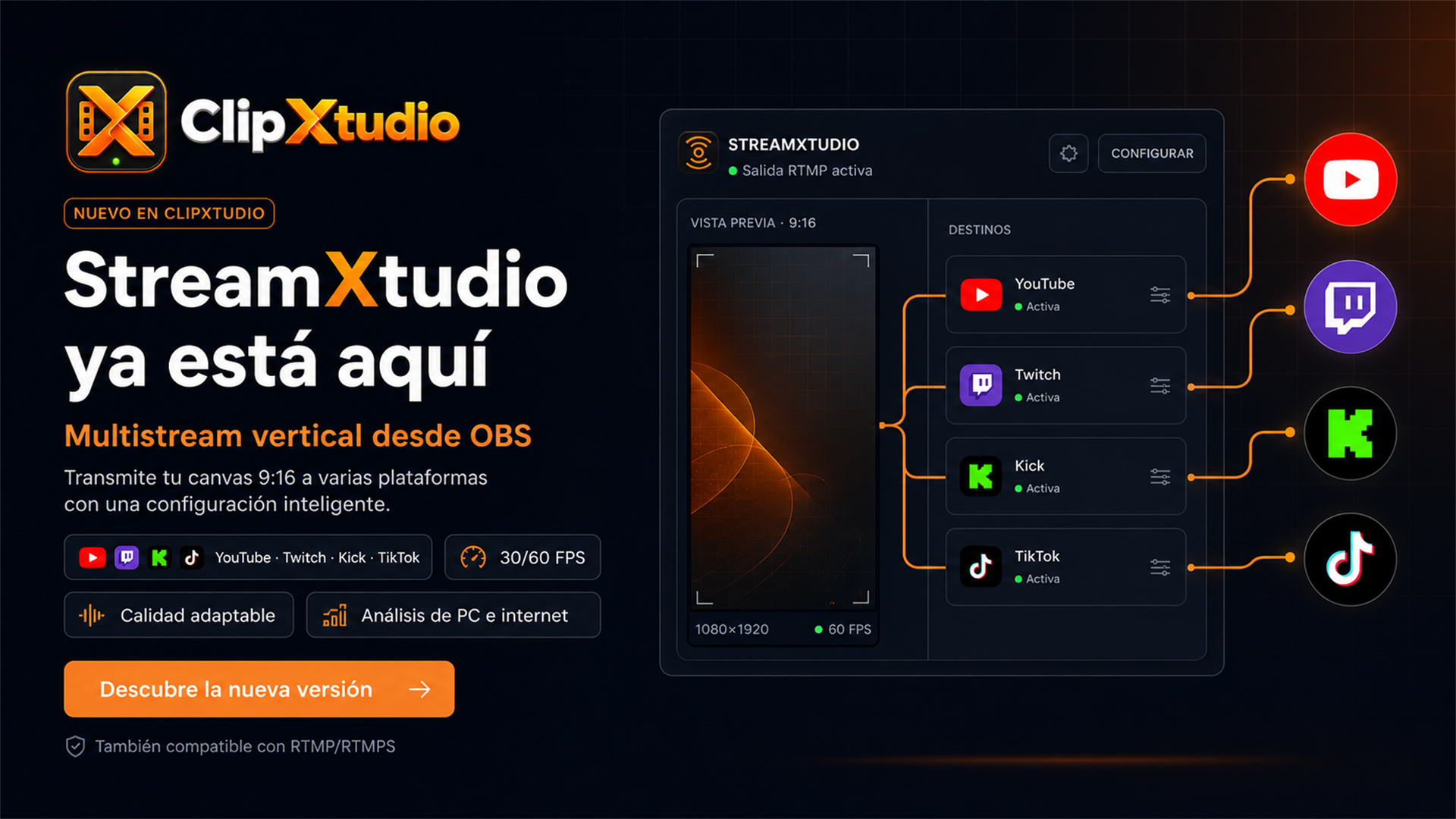
ClipXtudio now includes StreamXtudio, a new multistreaming add-on built to broadcast the 9:16 vertical canvas directly from OBS. A single vertical composition can be sent to YouTube, Twitch, Kick, TikTok, and custom RTMP or RTMPS destinations without turning the main horizontal OBS broadcast into a vertical output.
Every destination has independent configuration and status. YouTube uses the account or service connected in OBS to prepare its output; Twitch can import the available service configuration, while Kick, TikTok, and custom destinations accept the server and stream key supplied by each platform. StreamXtudio indicates when the RTMP signal is active, provides direct access to broadcasting dashboards, and keeps start and stop controls separate for each destination.
Before going live, the new workflow can analyze the computer and measure upload speed. It recommends a resolution, frame rate, and bitrate from those results while leaving the final choice to the creator. Vertical output can run at 720p, 1080p, 2K, or 4K and at 30 or 60 FPS. When OBS is also broadcasting horizontally, StreamXtudio reads its resolution and bitrate to reserve the required capacity and display a more realistic estimate of total usage.
Encoding adapts to the available hardware. ClipXtudio prioritizes NVIDIA NVENC, AMD AMF, or Intel Quick Sync before using the CPU. YouTube uses hardware AV1 when supported by both the computer and the service, with automatic H.264 fallback; Twitch, Kick, TikTok, and custom RTMP retain H.264 for compatibility. Profiles adjust bitrate, GOP, and quality for the selected platform, resolution, and frame rate.
The StreamXtudio interface also responds to dock size. Wide layouts show complete cards with information and actions; compact layouts preserve a small control strip with official platform icons, live status, and essential controls. The integrated YouTube, Twitch, Kick, and TikTok destinations remain available and cannot be deleted, while user-created RTMP destinations can be managed freely.
ClipXtudio 0.5.331 completes this launch by fixing an OBS startup crash. StreamXtudio no longer queries the horizontal output before the OBS frontend has finished initializing, allowing the add-on to load safely and use the saved profile until a live output exists.