
The moment passes
A great reaction happens while you are live, but you cannot stop the stream to edit it.
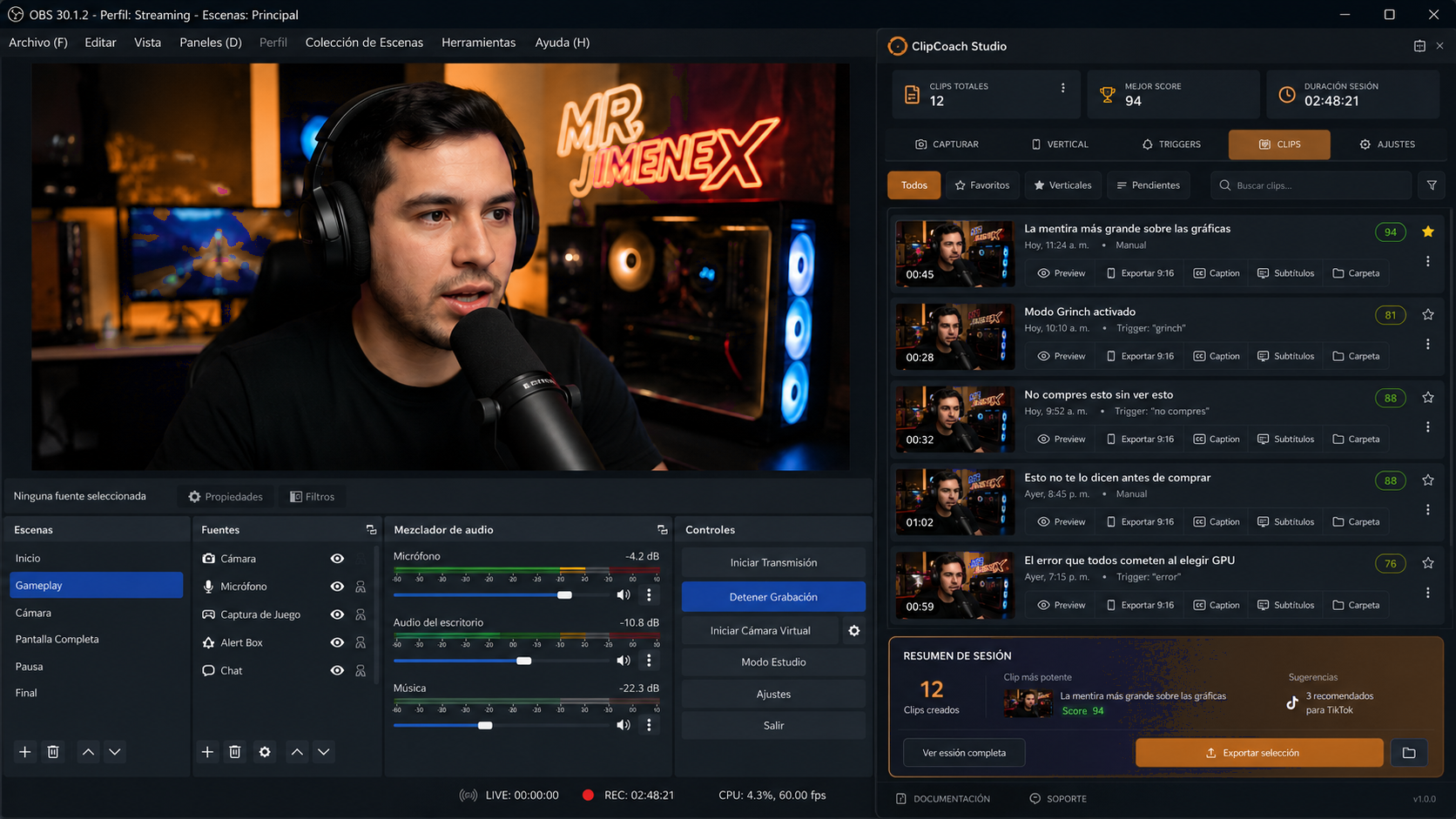
ClipXtudio helps creators capture, detect, organize and export smart clips directly from OBS Studio.
Latest version available Windows v0.5.430 macOS v0.5.419
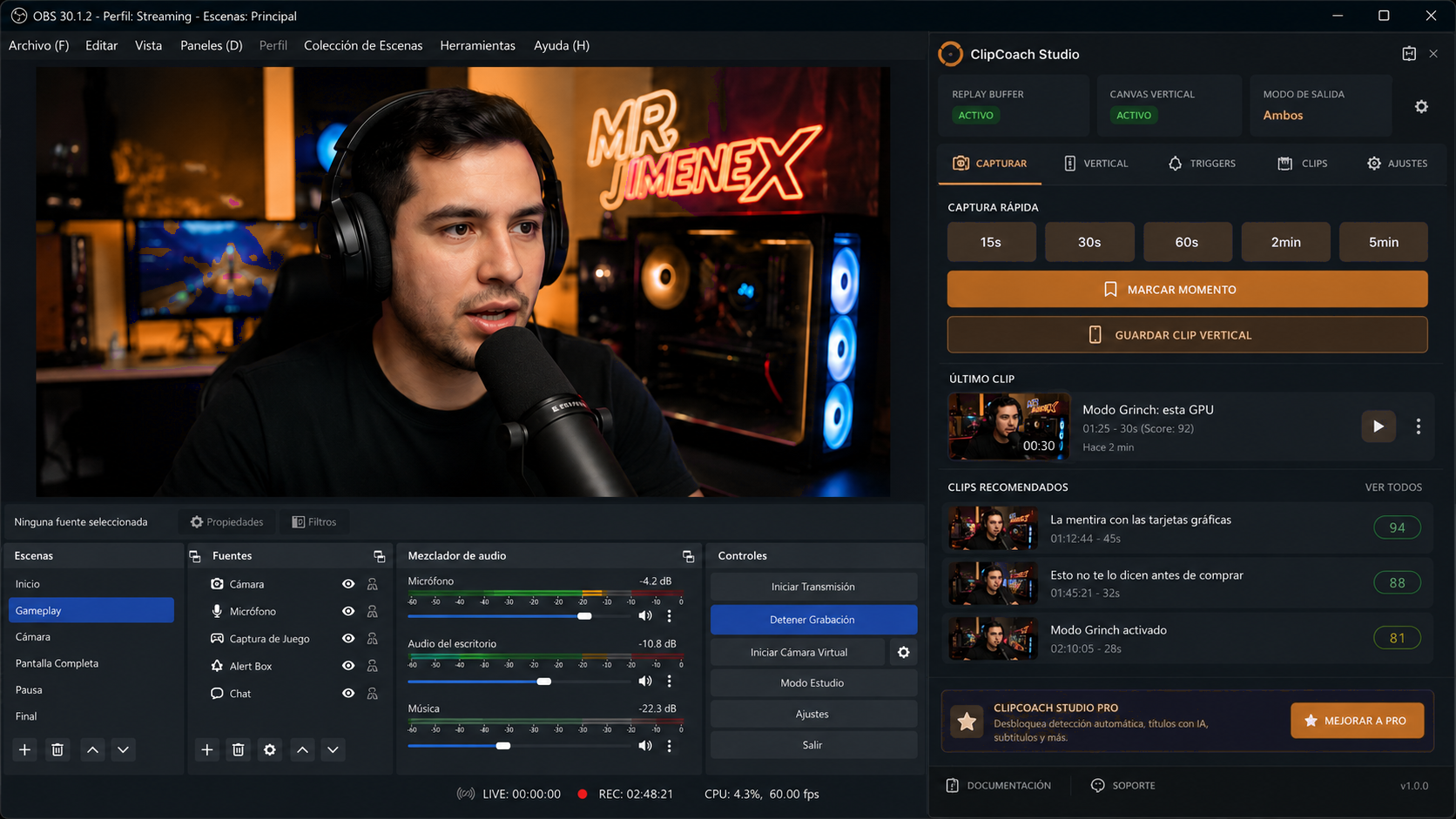
Streaming creates incredible moments. Finding, reframing and publishing them should not become another full-time job.
A great reaction happens while you are live, but you cannot stop the stream to edit it.
Scrubbing through long recordings turns one good clip into an hour of repetitive work.
A basic center crop cuts out the face, gameplay, chat or the context that made the moment work.
If you do not remember the exact timestamp, valuable moments stay trapped in the replay.
Keep creating while ClipXtudio turns your OBS workflow into a practical clipping system. Save manually, speak a phrase, react to chat or let configured signals surface candidates for you.
Pre-roll and post-roll preserve what happened before and after the trigger.
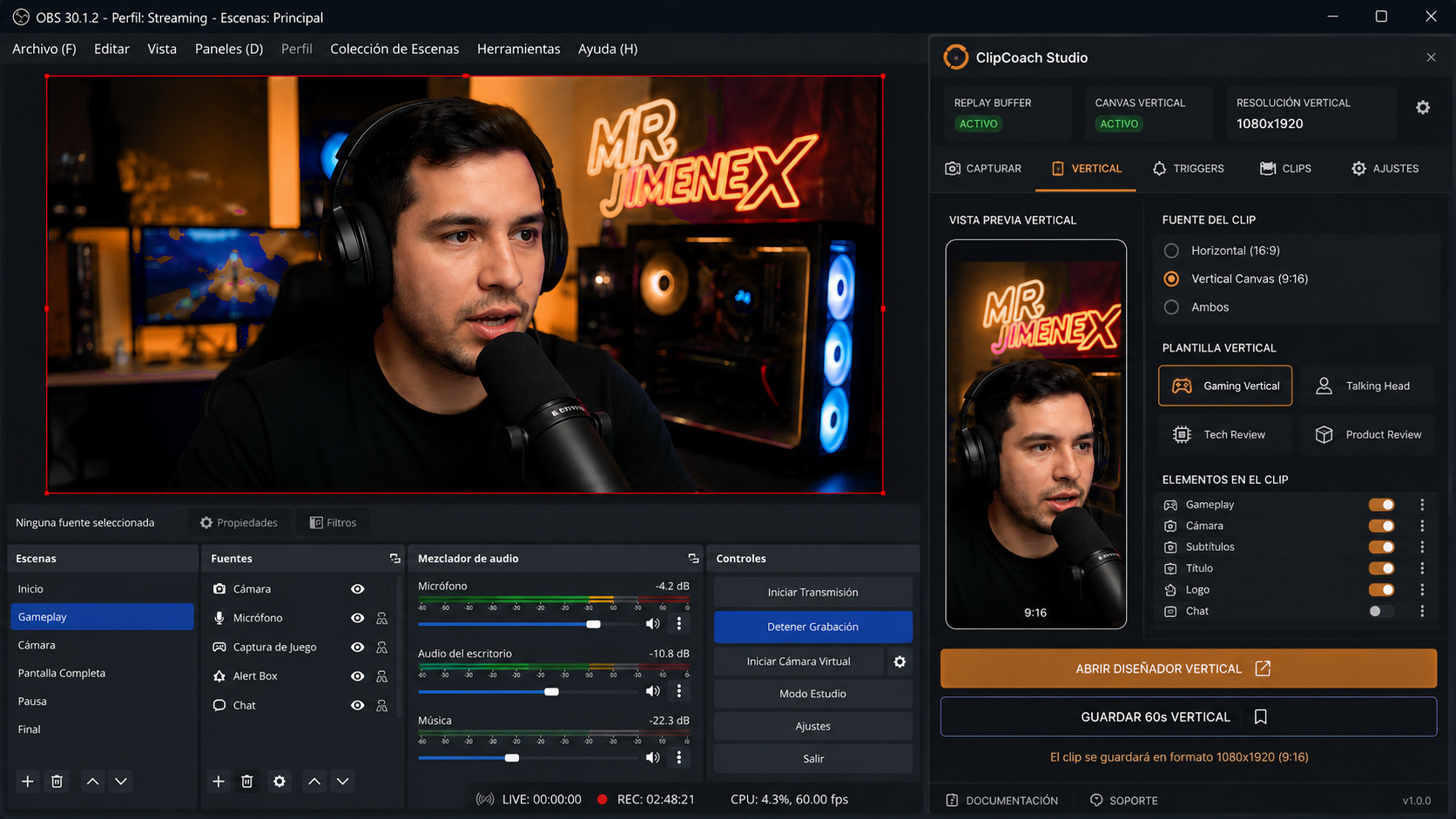
Choose a 9:16 layout built for faces, gameplay, captions and chat.
Clip Score and session organization help you decide what to publish first.
Save 15-second, 30-second, 60-second or custom replay moments without leaving your production view.
Prepare a true 9:16 composition with controllable scene sources, framing and reusable layouts.
Turn voice, audio, chat, scene changes and keywords into markers or saved clips.
Free includes one phrase and one microphone with local processing; Pro unlocks multiple phrases and inputs.
Detect sustained peaks and reactions while cooldown rules prevent duplicate captures.
Surface moments when chat accelerates, repeats a phrase, fills with emotes or calls !clip.
Review thumbnails, triggers, favorites, status and session context in one searchable library.
Turn a transcript into title options, social captions and hashtag suggestions through ClipXtudio Hub.
After trimming, apply subtitles, library music, effects, transitions and impact zooms with one click. Video and audio are not uploaded.
Generate subtitle assets linked to the original clip and keep them ready for export.
Review the strongest moments, total captured time and recommended clips when the session ends.
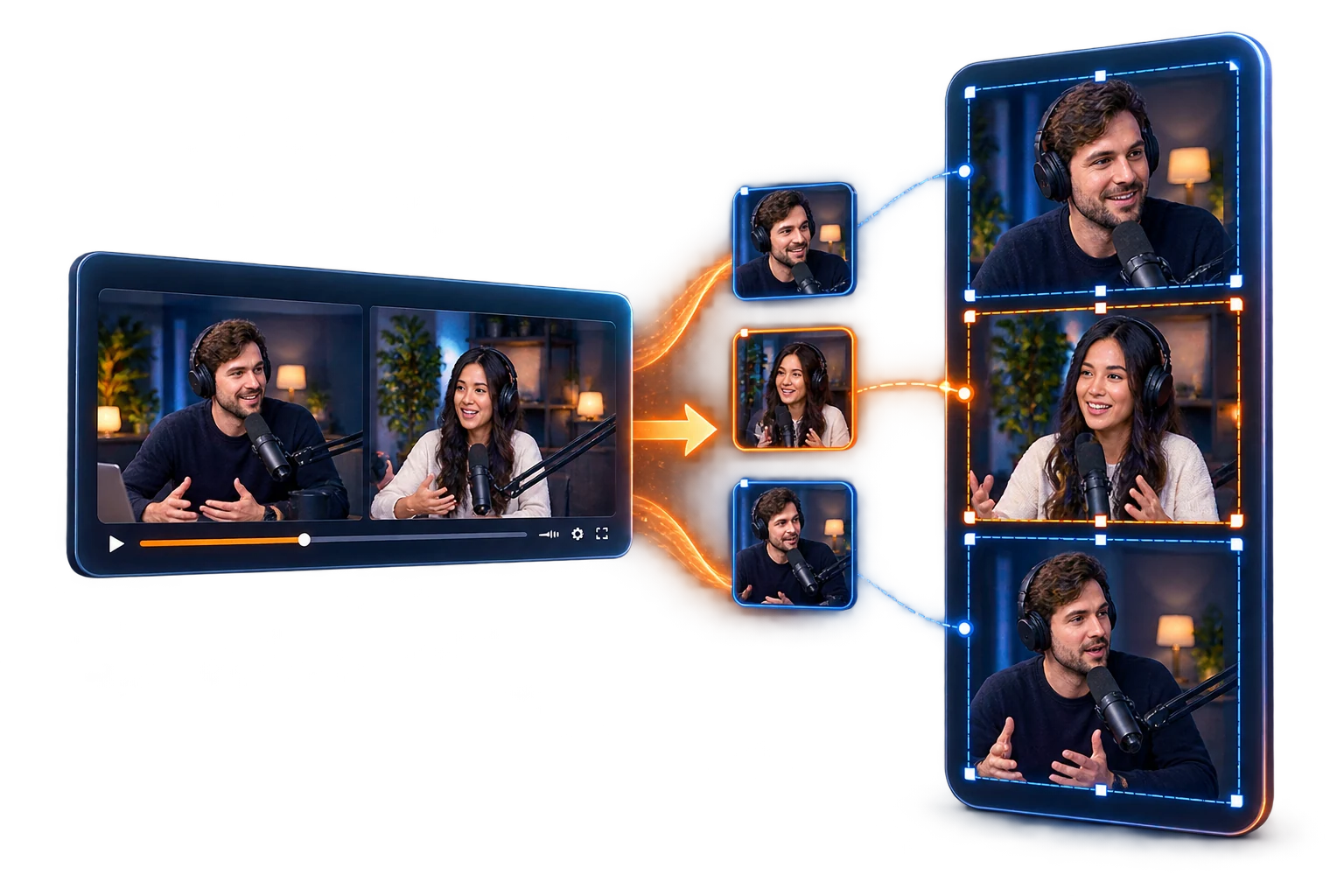
From conversation to clip. Import podcasts, interviews, and panels after your stream, keep every video in your Stage library, and turn it into one, two, or three independently framed vertical views. Auto-framing runs on your device, so it uses no cloud processing, no AI credits, and adds no load to your live stream.
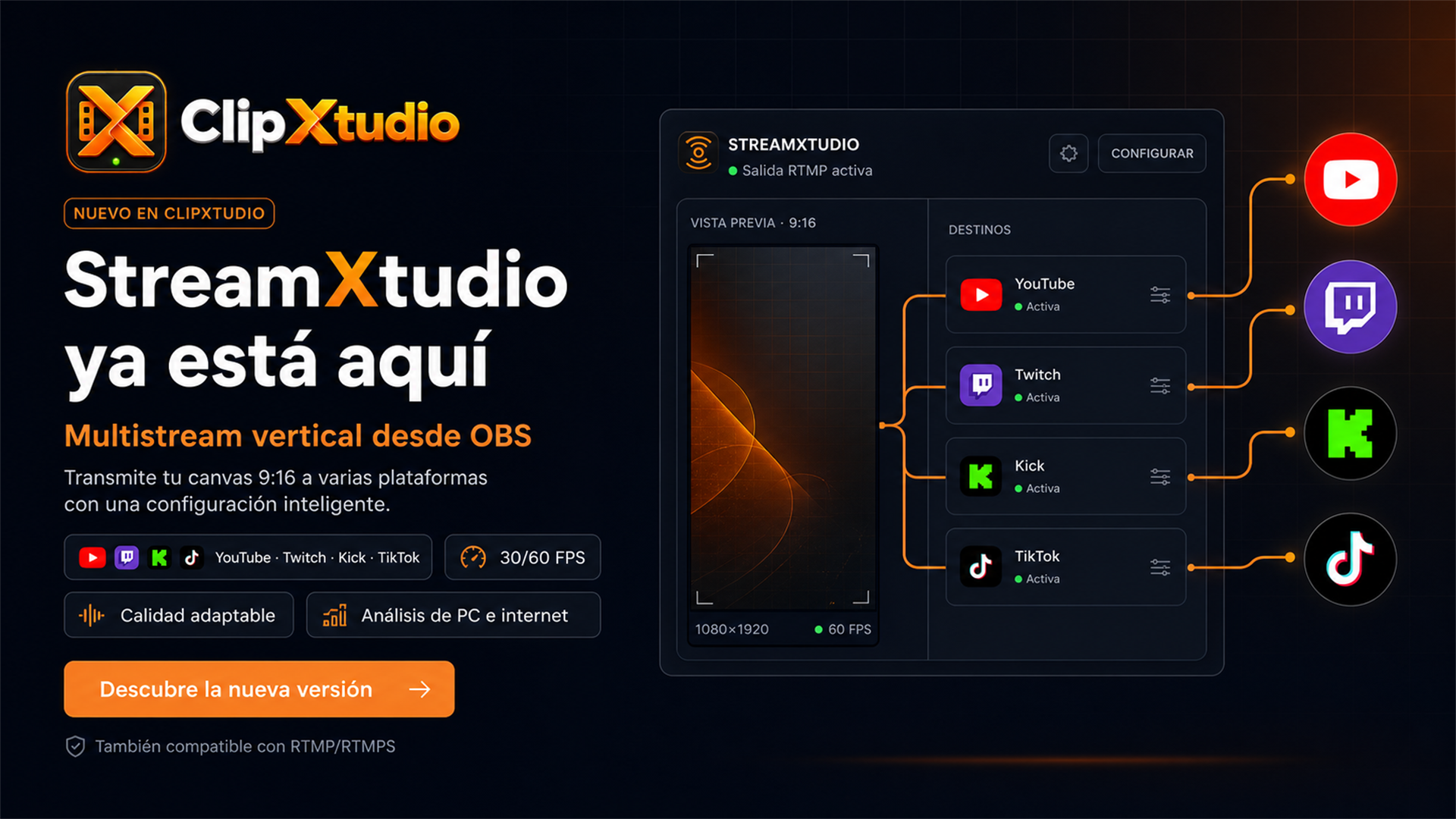
StreamXtudio sends your 9:16 OBS composition to YouTube, Twitch, Kick, TikTok and custom RTMP/RTMPS destinations without turning your horizontal broadcast into a vertical output.
 YouTube
 Twitch
 Kick
Kick
 TikTok
Send ClipXtudio’s 9:16 canvas to multiple destinations with independent controls and live status.
Choose 720p, 1080p, 2K or 4K at 30/60 FPS with optimized encoding for NVIDIA, AMD and Intel.
Get a resolution and bitrate recommendation before going live, then adjust the profile if you prefer another quality level.
Keep your regular OBS broadcast live while StreamXtudio sends an independent vertical output.
Connect Twitch, YouTube and Kick through their official authorization flows. ClipXtudio groups incoming messages by platform and gives you a transparent private URL for any horizontal or vertical OBS canvas.
The most important improvements across the plugin and platform.
View all updates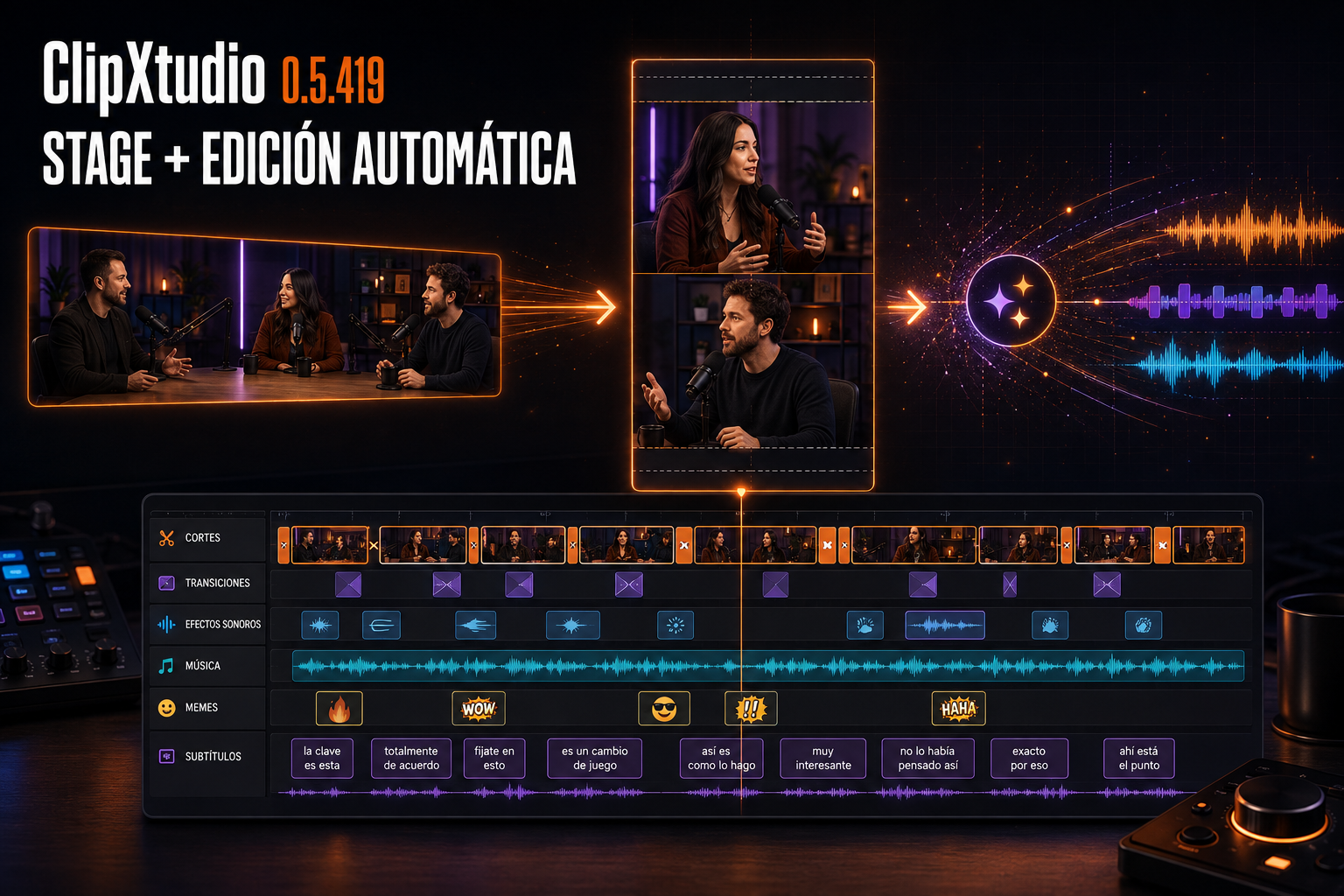
Stage turns horizontal recordings into 9:16 stories, while the new Automatic Editing workflow completes cuts, pacing, music, social captions, and editable subtitles in one pass.
Read update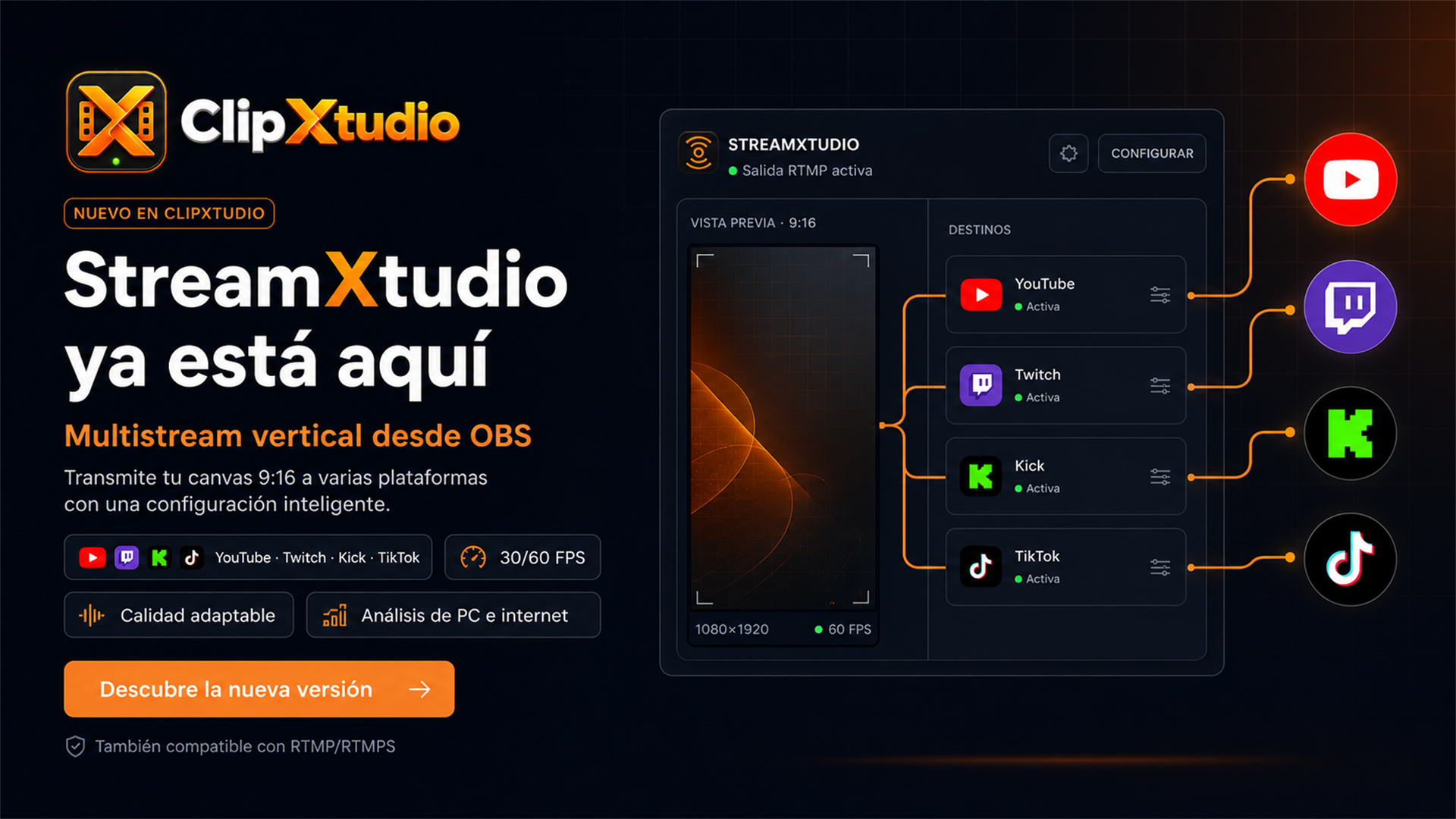
The new StreamXtudio add-on sends ClipXtudio's vertical canvas to YouTube, Twitch, Kick, TikTok, and RTMP/RTMPS destinations with profiles adapted to the computer and connection.
Read update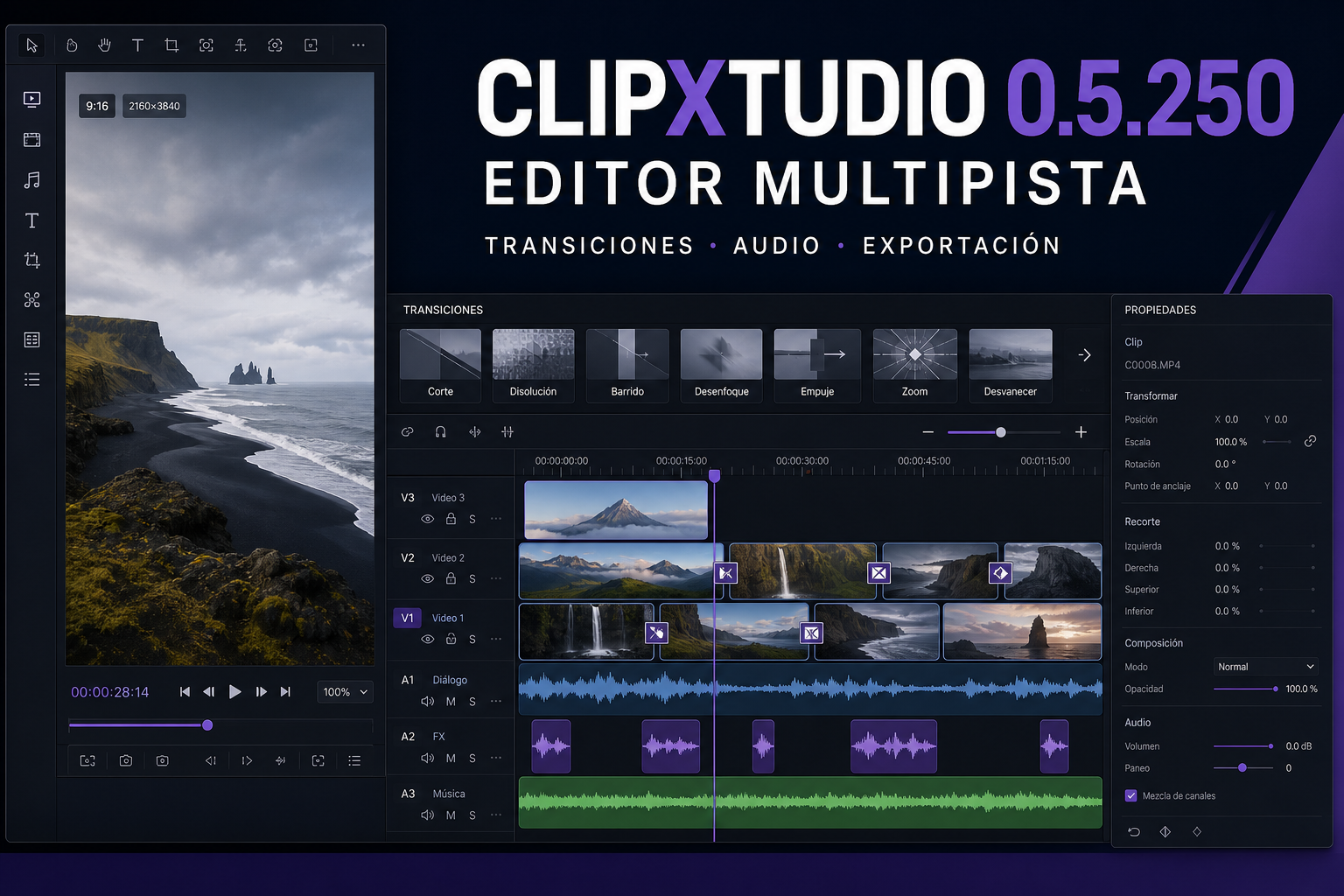
Twenty-five releases turn the editor into a complete workspace for cutting, adding transitions, mixing audio, choosing a cover, and exporting more reliable 9:16 clips.
Read updateClipXtudio brings clip capture, vertical canvas, automation, your library, multistream and production tools into one organized workspace inside OBS. Fewer windows, fewer interruptions and more control throughout every live stream.
Compatible with OBS Studio. OBS Studio is a third-party project and is not owned by ClipXtudio.
A clear five-step path from your current OBS setup to organized 9:16 clips.
Run the installer and open the ClipXtudio workspace inside OBS Studio.
Start the OBS Replay Buffer from ClipXtudio and keep your recent moments ready.
Prepare a 9:16 composition for Shorts, Reels and TikTok.
Use a button, hotkey or smart trigger while you stay focused on the stream.
Organize your library and create copies for TikTok, Reels and Shorts.
Start free, or unlock the complete monthly or annual Pro workflow with secure Stripe billing.
The essentials for creators who want reliable manual clips.
All Pro capabilities with the flexibility of monthly billing.
The same complete Pro workflow with annual billing.
Prices are calculated securely by ClipXtudio Hub. Card details stay with Stripe.
Remote Clipper gives a trusted editor a focused web panel for requesting clips without installing an app, exposing OBS to the internet, or gaining control of your stream.
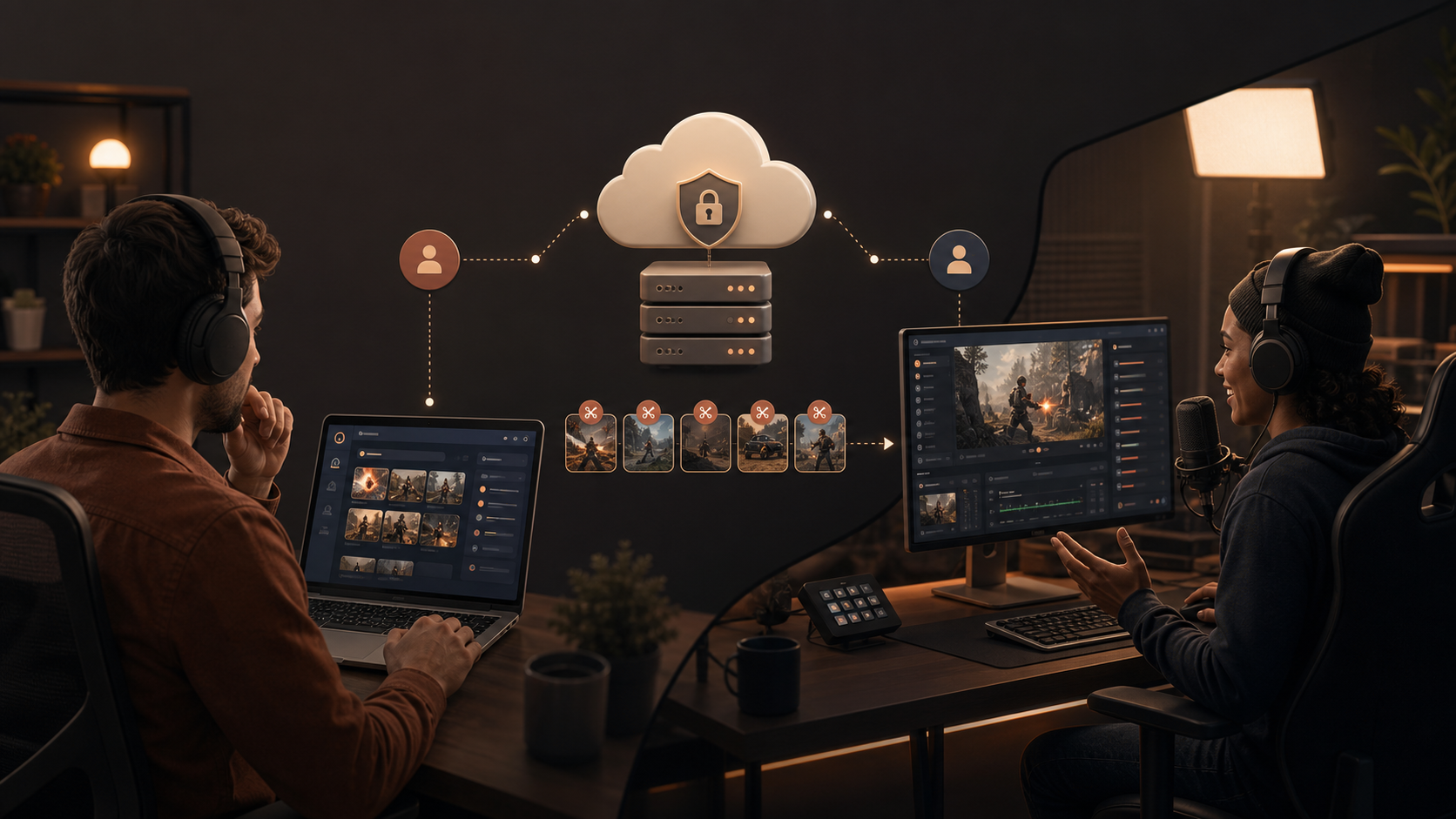
Invite one editor to mark moments and request 30s, 60s, vertical or combined clips.
Commands travel through ClipXtudio Hub and are validated before your local plugin executes them.
Editors cannot change scenes, stop your stream, access billing, licenses or plugin settings.
$5.99/month
Includes 1 remote editor$0.99/month
Add only the seats you needOBS Studio, TikTok Live Studio, scenes, audio and performance configured personally for your hardware.
Clear answers about installation, vertical clips, billing and devices.
Visit support →Yes. Free includes manual clips, local Voice Trigger with one phrase and microphone, basic hotkeys, session history and basic exports. Pro adds multiple phrases and microphones, the remaining smart triggers, AI tools and full history.
Yes. ClipXtudio integrates directly into your OBS Studio workspace so you can capture, organize and prepare content without leaving your streaming workflow.
Every clip is generated in 9:16, ready for TikTok, Reels and Shorts. Pro unlocks the advanced canvas and additional layouts.
After any configured grace period ends, Pro features become unavailable and the plugin returns to the Free plan. Your existing local clips are not deleted.
No. Card details are handled by the configured payment provider. ClipXtudio Hub stores billing identifiers and subscription status, not full card numbers.
The standard policy is one active device per license. Device limits may vary by plan, and an authorized device can be released through the supported account flow.
Install ClipXtudio for manual clips today, then unlock the complete creator workflow with ClipXtudio Pro.